


Universal Kindle Fire Parental Controls for Busy Parents
The Kindle Fire is One of the Best Readers, but You Know Too Much of a Good Thing May Not be as Good.



Help Digital Kids Learn to be Responsible
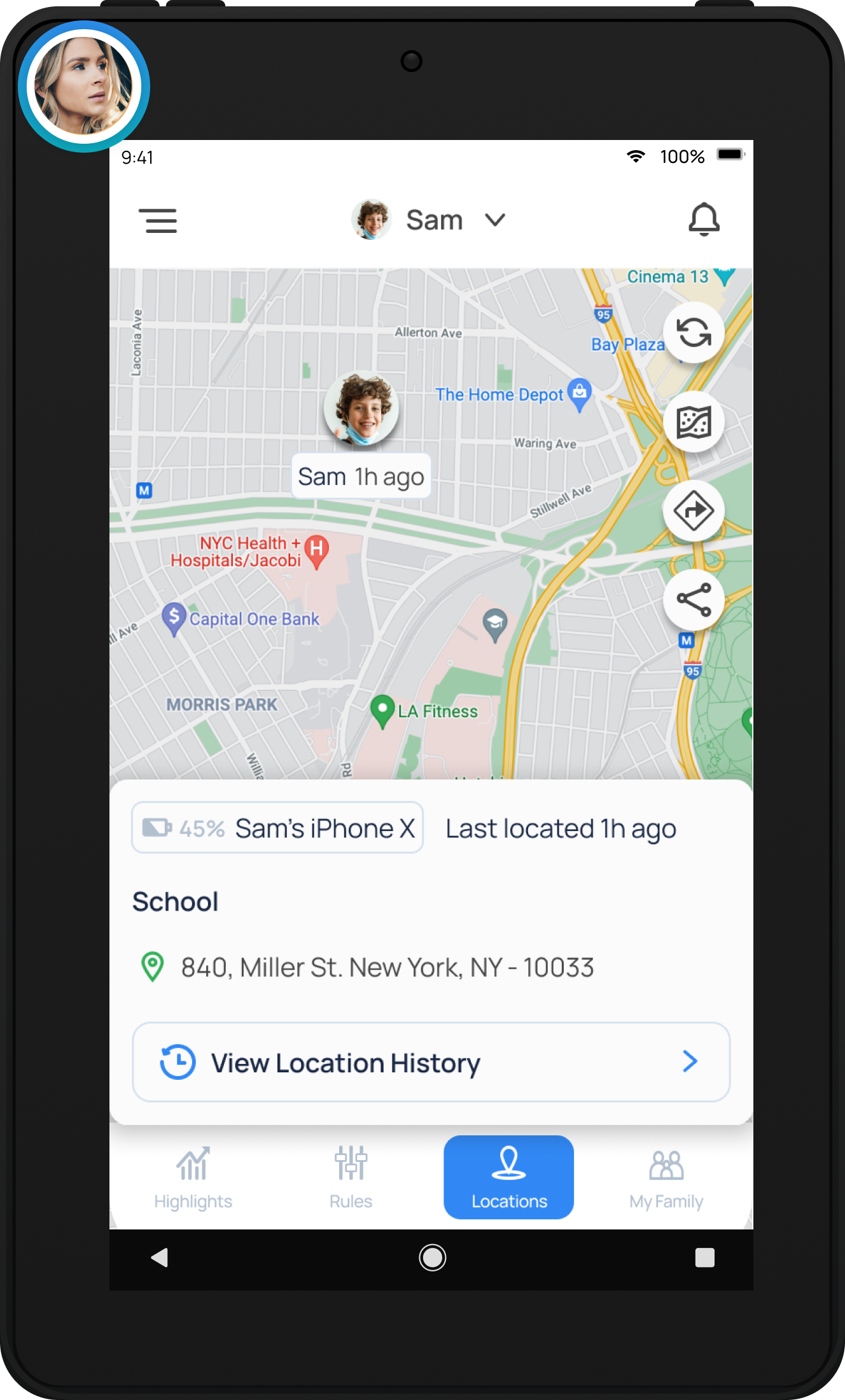
Track Location
Set geofences & locate your kids on demand
Schedule & Limit Screen Time
Set healthy time limits for how and when the Kindle Fire is used
Monitor Social Media
Get alerted on risky interactions on Facebook.
Filter Web Content
Blocked Websites, filter adult content and keep your kids safe online
Block Apps
Completely block distracting, inappropriate or addictive games and apps.
Set App Limits
Set screen time allowances for specific categories and apps.
View Activity Summary
Get a daily snapshot of your family's device usage
Teach Self-Regulation
Child dashboard shows how they spend their time online every day
Track Location
Schedule & Limit Screen Time
Monitor Social Media
Filter Web Content
Block Apps
Set App Limits
View Activity Summary
Teach Self-Regulation
Set geofences & locate your kids on demand
Track Location
Set geofences & locate your kids on demand
Schedule & Limit Screen Time
Set healthy time limits for how and when the Kindle Fire is used
Monitor Social Media
Get alerted on risky interactions on Facebook.
Filter Web Content
Blocked Websites, filter adult content and keep your kids safe online
Block Apps
Completely block distracting, inappropriate or addictive games and apps.
Set App Limits
Set screen time allowances for specific categories and apps.
View Activity Summary
Get a daily snapshot of your family's device usage
Teach Self-Regulation
Child dashboard shows how they spend their time online every day




